部署 Blog到github.io
部署博客到 github.io 个人页面

生成github token
Settings -> Developer Settings -> Personal access tokens
注意token是有过期时间的, 如果过期就不能用Action 部署到github.io
添加 github workflow
添加文件 .github/workflows/pages.yml
name: Deploy # 部署

on: # 触发条件
  push:
    branches:
      - main # 推送到 main 分支

  release:
    types:
      - published # 推送新版本号

  workflow_dispatch: # 手动触发

jobs:
  build:
    runs-on: ubuntu-latest

    steps:
    - name: Checkout # Checkout 仓库
      uses: actions/checkout@v4
      with:
        ref: main

    - name: Setup Node # 安装 Node.js
      uses: actions/setup-node@v4
      with:
        node-version: "22.x"

    - name: Install Hexo # 安装 Hexo
      run: |
        npm install hexo-cli -g

    - name: Cache Modules # 缓存 Node 插件
      uses: actions/cache@v4
      id: cache-modules
      with:
        path: node_modules
        key: ${{runner.OS}}-${{hashFiles('**/package-lock.json')}}

    - name: Install Dependencies # 如果没有缓存或 插件有更新,则安装插件
      if: steps.cache-modules.outputs.cache-hit != 'true'
      run: | # 如果仓库里没有 package-lock.json,上传一下,npm ci 必须要有 package-lock.json
        npm ci
    - name: Generate # 生成
      run: |
        hexo clean
        hexo generate

    - name: deploy to github page
      uses: JamesIves/github-pages-deploy-action@v4
      with:
        token: ${{ secrets.TOKEN }}
        repository-name: RichardThunder/richardthunder.github.io
        branch: main
        folder: public
        commit-message: "Updated By Github Actions"
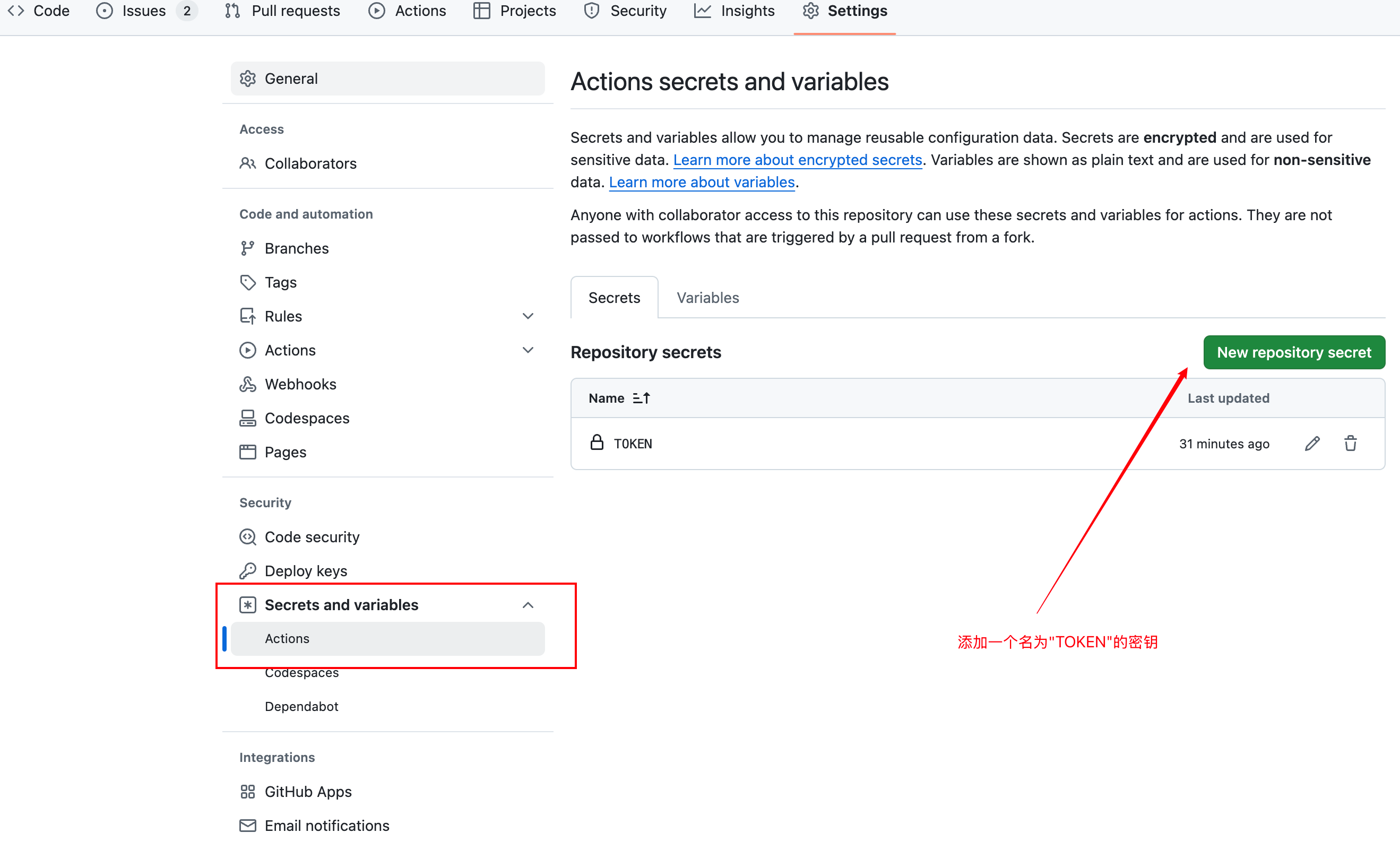
添加 secrets.TOKEN
在仓库设置里添加 TOKEN 密钥:
- settings -> secrets and variables -> Actions -> New repository secrets
在目标仓库 开启github pages
在RichardThunder/richardthunder.github.io仓库下
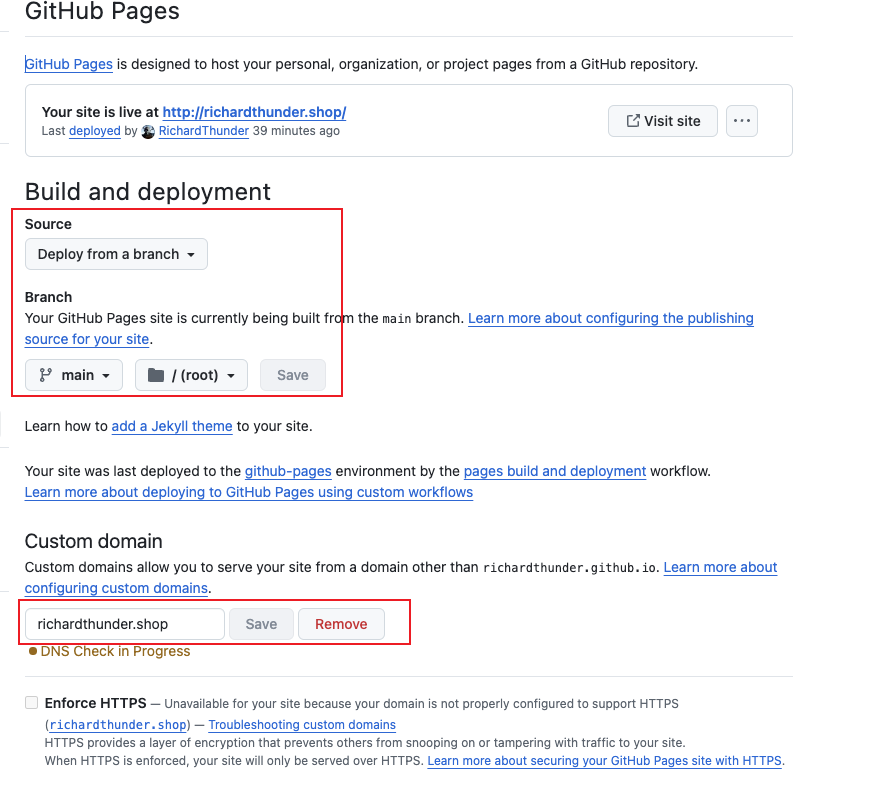
设置域名
在RichardThunder/richardthunder.github.io仓库下添加文件CNAME
richardthunder.shop
提交博客自动生成
git add .
git commit -m "推送私有仓库"
git push origin master
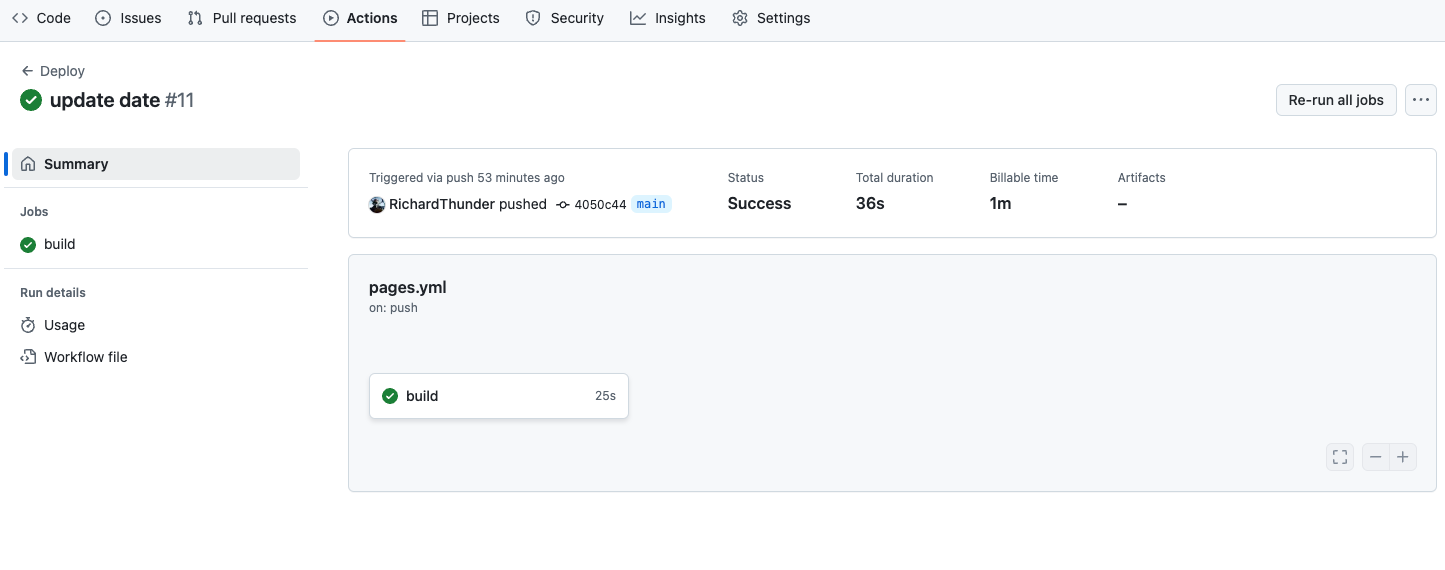
查看github Action 运行结果